~/writingfail2ban-cloudflare-gridpane
Making Fail2Ban ban the attacker, not Cloudflare
Behind Cloudflare, a server's own firewall can't stop an attacker. How I set up Fail2Ban on 10 GridPane servers to ban at Cloudflare's edge instead, in each site's own zone, and the steps to do the same.

Contents
Every WordPress site I host on GridPane (opens in a new tab) now bans brute-force attackers at Cloudflare's edge, in that site's own Cloudflare zone, within seconds of the ban. That's 54 sites on 10 servers. It took two days, one Cloudflare token per server, and a script that proves each ban lands where it should.
This post covers how Fail2Ban works on GridPane, why it can't stop anyone behind Cloudflare on its own, and how I fixed that across the whole fleet. At the end are the steps to do it yourself, plus a brief you can hand to an AI agent.
How does Fail2Ban work on GridPane?
Fail2Ban is a program that reads log files and bans an address that keeps doing something bad. On a GridPane server, the bad things come from WordPress, by way of the WP Fail2Ban plugin.
When you switch on a site's Fail2Ban integration in GridPane (the same as running gp site example.com -enable-wp-fail2ban), GridPane loads the plugin for that site. From then on, every failed login, every username probe and every blocked XML-RPC call is written to the server's /var/log/auth.log, tagged with the site's name:
Nov 13 19:28:04 server wordpress(example.com)[4242]: Authentication failure for admin from 203.0.113.45Fail2Ban watches that file through three jails, each with its own patterns and patience (GridPane can add two more, for wp-login.php and XML-RPC):
- wordpress-hard bans on the first strike for 10 minutes: a login with a username the site blocks (like
admin), or a user enumeration probe. - wordpress-soft bans after 3 strikes in 10 minutes, for an hour: failed logins where the username is real.
- wordpress-extra bans after 3 strikes in 10 minutes, for a day: repeated password-reset requests and comment posts, depending on the plugin's settings.
When a jail bans an address, it adds a rule to the server's own firewall. On a server that answers visitors directly, that's the end of the attacker.
Why doesn't the server's firewall stop anyone behind Cloudflare?
Because behind Cloudflare, no visitor answers directly.
With a site proxied through Cloudflare (the orange cloud), a visitor connects to Cloudflare, and Cloudflare opens its own connection to your server. Every packet the server receives comes from one of Cloudflare's addresses. The visitor's real address only rides along in a header.
GridPane reads that header and puts the real address back, so WordPress, the logs and Fail2Ban all see the true visitor. That part works. The problem is the last step. Fail2Ban bans the attacker's real address in the server's firewall, but the attacker's packets never come from that address. They come from Cloudflare. The firewall rule sits there and never matches anything, and the attacker keeps trying.
You can't fix that by banning the Cloudflare address instead. Those addresses carry every visitor's traffic, so banning one would block a slice of your real visitors and do almost nothing to the attacker, who would just arrive through another one.
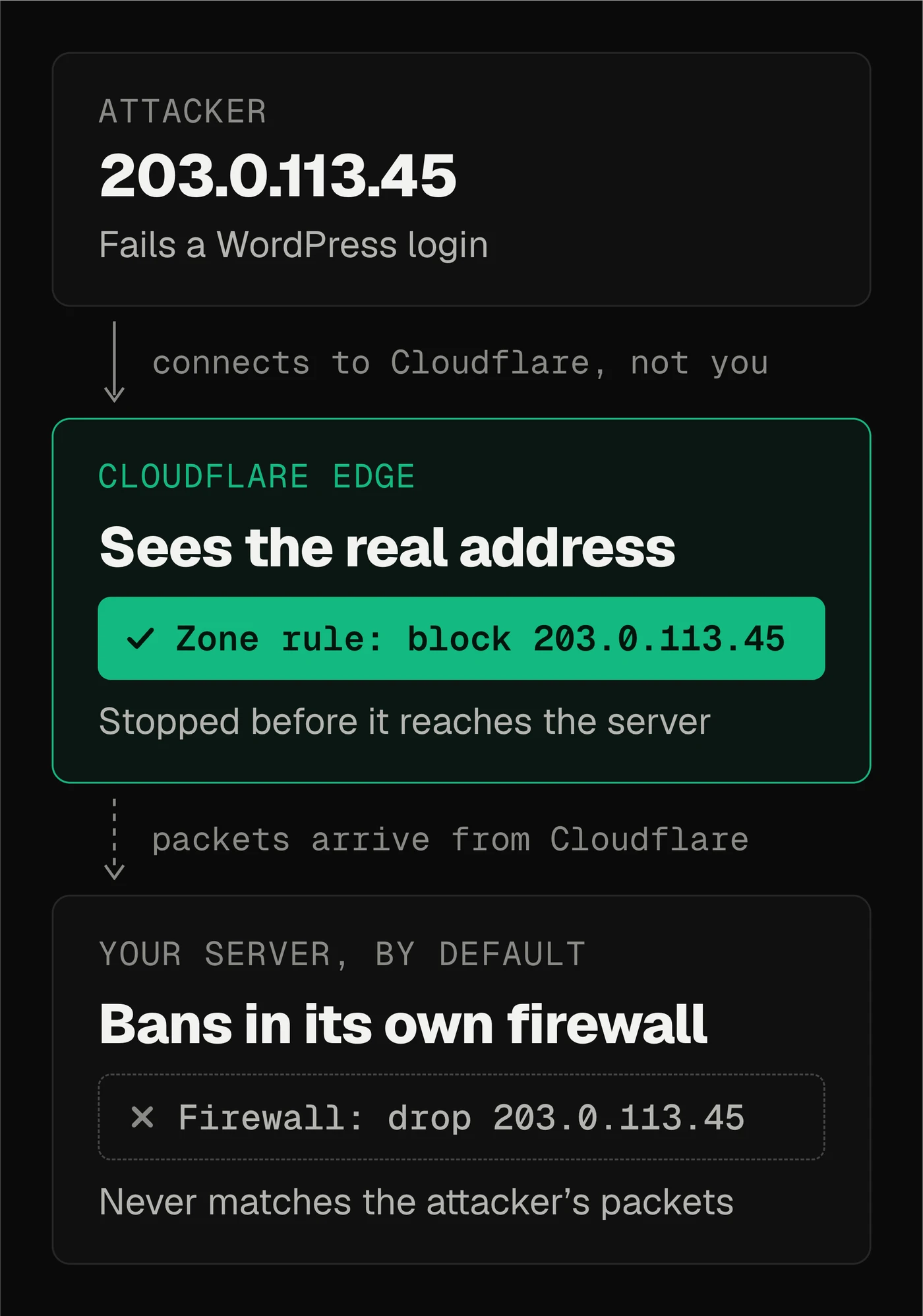
So the ban has to happen at Cloudflare, the one place that still sees the attacker's real address on the connection itself. Cloudflare has a feature made for this: IP Access Rules, a list of addresses to block, kept per zone or for a whole account. Fail2Ban can add to that list through Cloudflare's API whenever it bans, and remove from it when the ban expires.
Doesn't GridPane already do this?
GridPane documents a way, in Using Fail2Ban with Cloudflare (opens in a new tab). You copy Fail2Ban's stock Cloudflare action into a file of its own on the server, gpcloudflare.conf, and give it "your Cloudflare account email address and your API key". Then you add that action to the WordPress jails. The article doesn't name the key, but for where to find it, it points to its companion article, Using Cloudflare with GridPane, and that one leads you to the Global API Key.
It works, but I didn't want it on my servers, for two reasons.
- The key can do anything. An email plus an API key is Cloudflare's oldest way to sign in, and the key that goes with it can do everything your Cloudflare user can do, in every account that user belongs to. It would sit in a file on a server that hosts other people's websites.
- Every ban lands on every site. GridPane's article presents it as a plus that "IP bans will be applied to your entire Cloudflare account". For one owner with one account, maybe. I host client sites. An attacker caught on one client's site shouldn't write a rule into every other client's zone.
Fail2Ban itself ships a closer fit, which GridPane's article doesn't mention: cloudflare-token.conf signs in with a scoped token and bans in one zone, and its own comment suggests a token with only firewall permissions. The stock action the article copies also finds the rule to delete by the jail's name in its note, as my first version did. On mine, that let a 10-minute ban end a one-hour ban early (step 4 has the details). GridPane's setup likely has the same gap, though I've only tested my own.
So I set my own rules first:
- A ban lands only in the zone of the site that triggered it.
- Each server gets its own Cloudflare API token, which I make by hand. It can edit firewall rules only on the zones of the sites on that server, and it works only from that server's address.
- Nothing GridPane manages is edited. Everything I add sits in files of its own, so removing it is "delete these files, reload".
How does one server ban in many zones?
The trick is that the zone is a setting on each jail, not on the action.
There's one action file per server. When a jail bans an address, the action hands it to a small script that creates a block rule through Cloudflare's API, in whichever zone the jail names. The token sits in a separate file that only root can open, and only the script reads it.
Each site then gets three jails of its own, copies of GridPane's hard, soft and extra jails with the same thresholds. Each one reads only that site's lines in auth.log (the site and its www name) and bans in that site's zone. A server with 12 sites runs 36 jails.
Every jail has two actions. The Cloudflare rule stops the attacker at the edge. The local firewall rule stays too, for anyone who skips Cloudflare and connects straight to the server.
How did the rollout go?
I worked through it with Claude Code, server by server, in the same order.
An audit first, changing nothing. A read-only script asked all 10 servers what Fail2Ban was doing: which jails ran, what each did when it banned, which sites had the plugin on, and the address Cloudflare sees each server as. It found the plugin switched on for fewer than half the sites. I switched it on for the rest as each server went live.
One server as the pilot. Then a dry run on every server: build the new config in a private copy, have Fail2Ban test it, and run every new filter over sample lines. Each filter had to match its own site and its www name, and not two lookalike names or an unrelated site. Only after a dry run passed did the live run write anything, and the live run ended with a proof: write one fake line into auth.log, the way the plugin would, and watch Fail2Ban ban it, the local firewall block it, and exactly one rule appear in that site's Cloudflare zone. Then unban and watch all three disappear. If anything failed, the script put every file back.
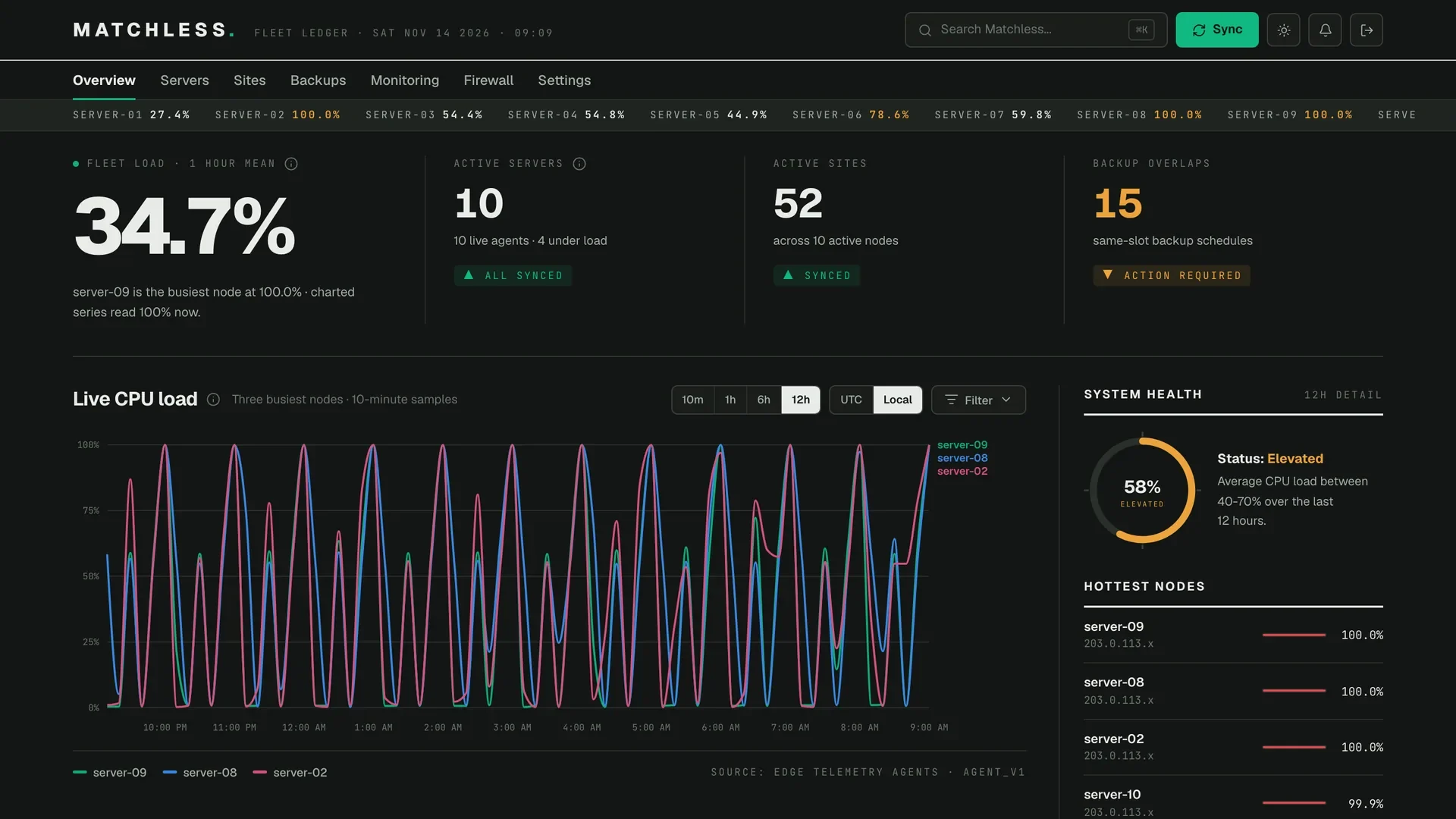
By the next evening all 10 servers were live and proven, and my dashboard, Matchless Fleet, showed every site's Fail2Ban status. It agreed with a fresh audit on all 56 sites: 55 banning at the edge, and one staging site with no Cloudflare zone, protected by the local firewall only.
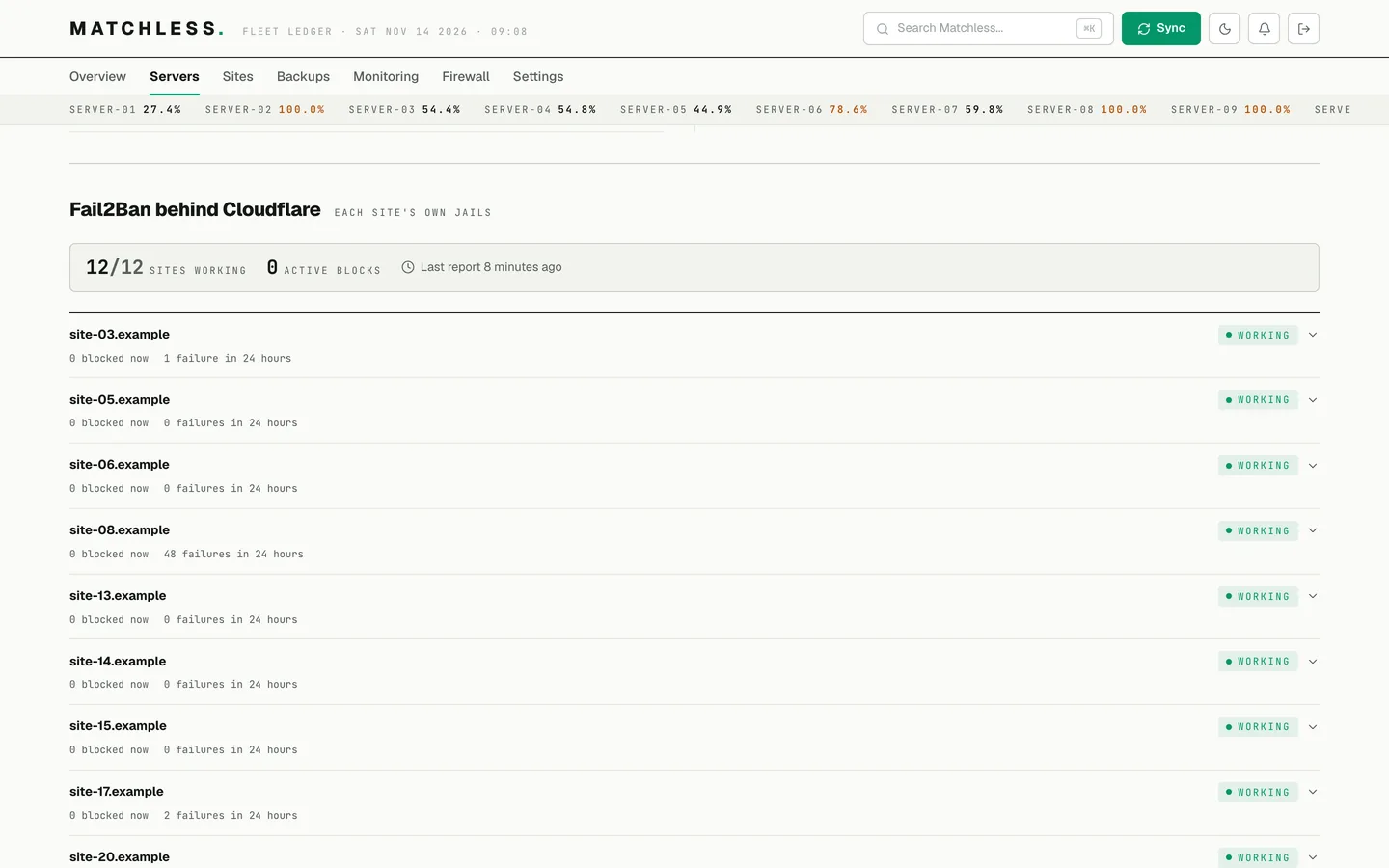
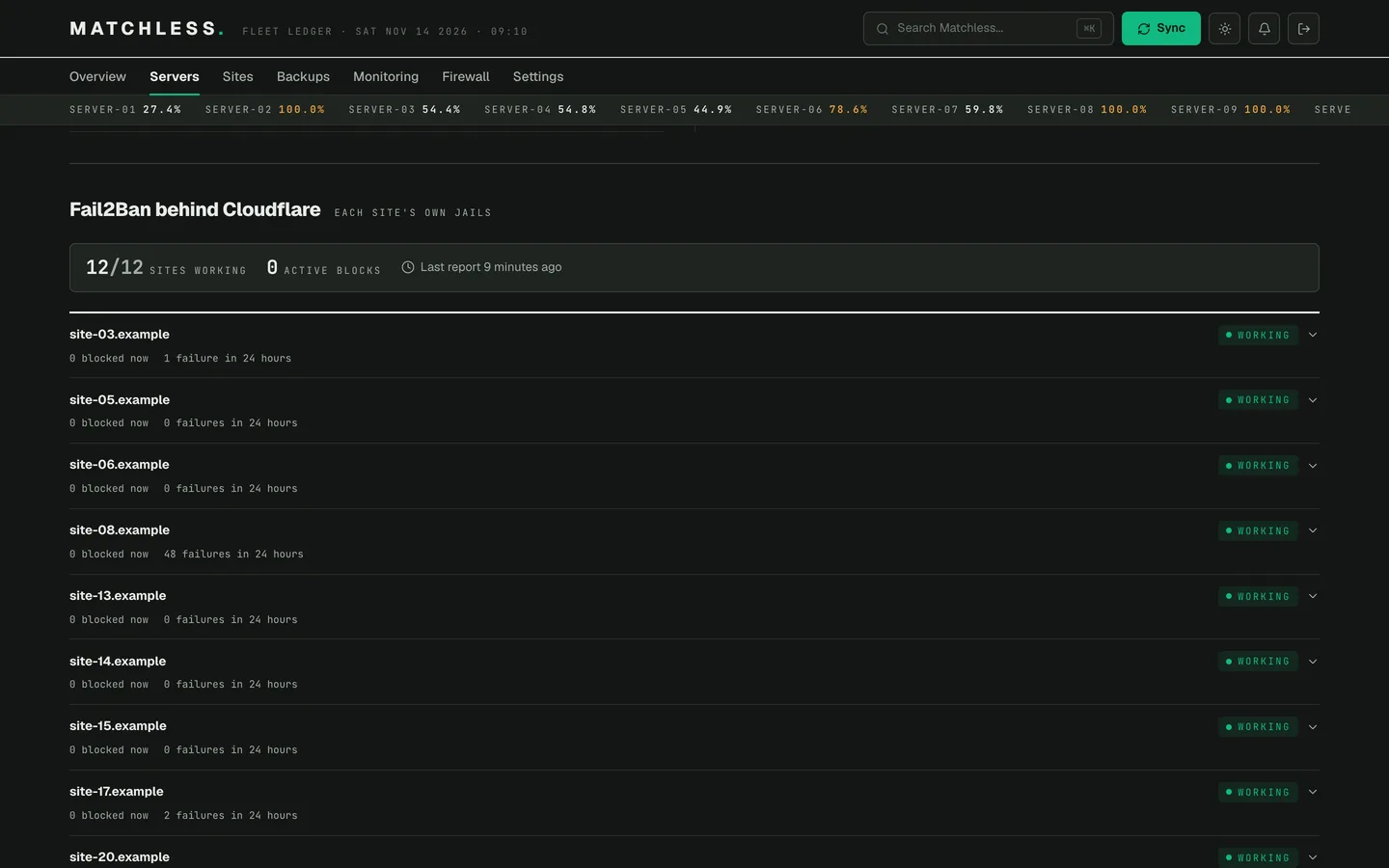
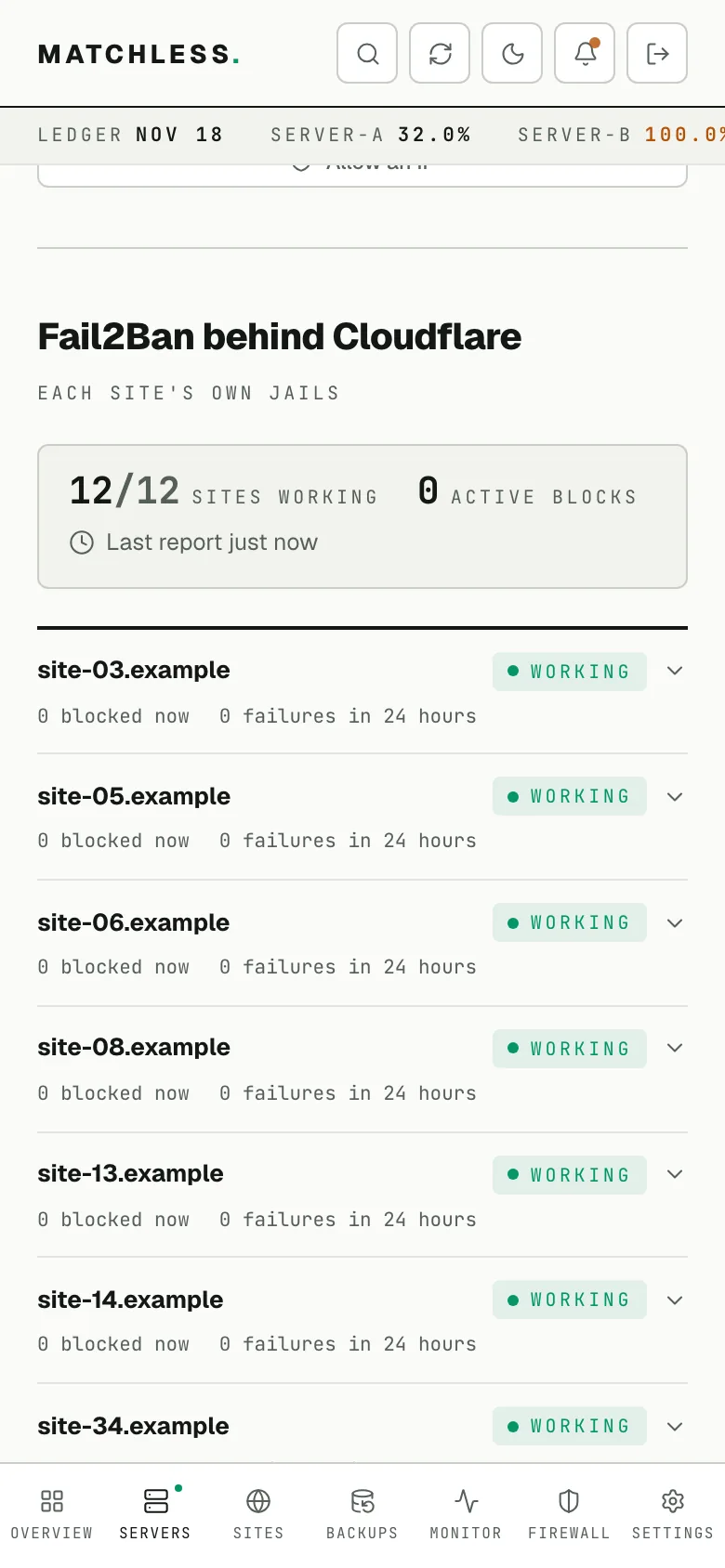
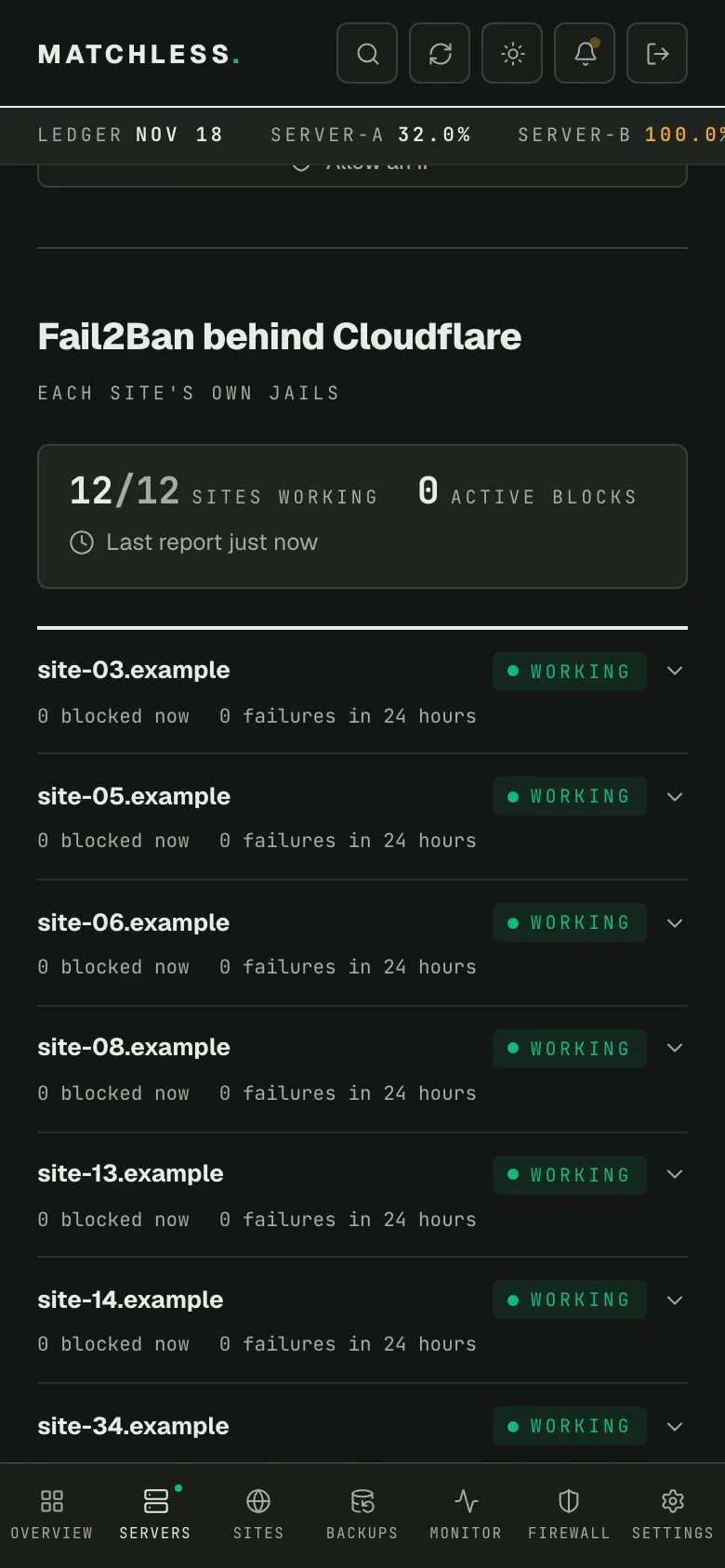
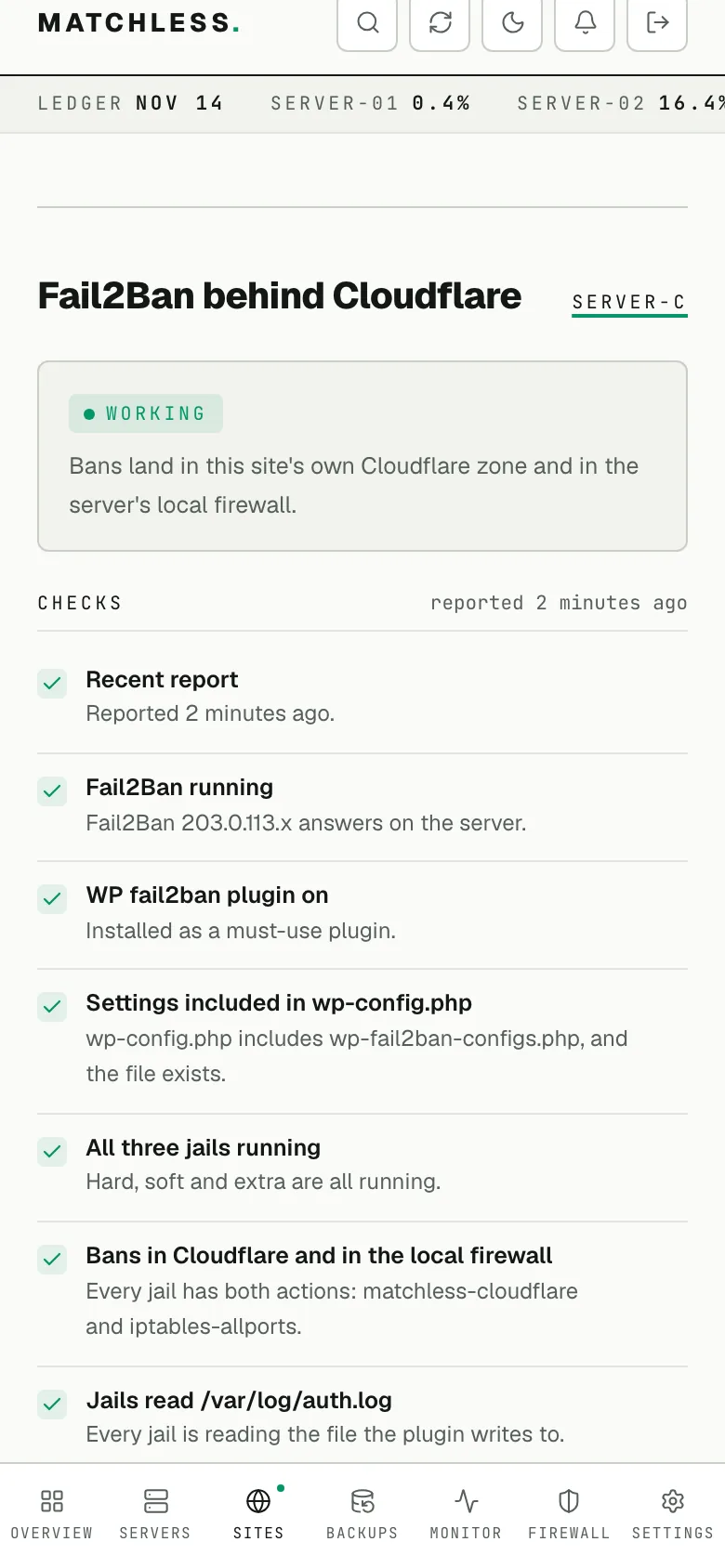
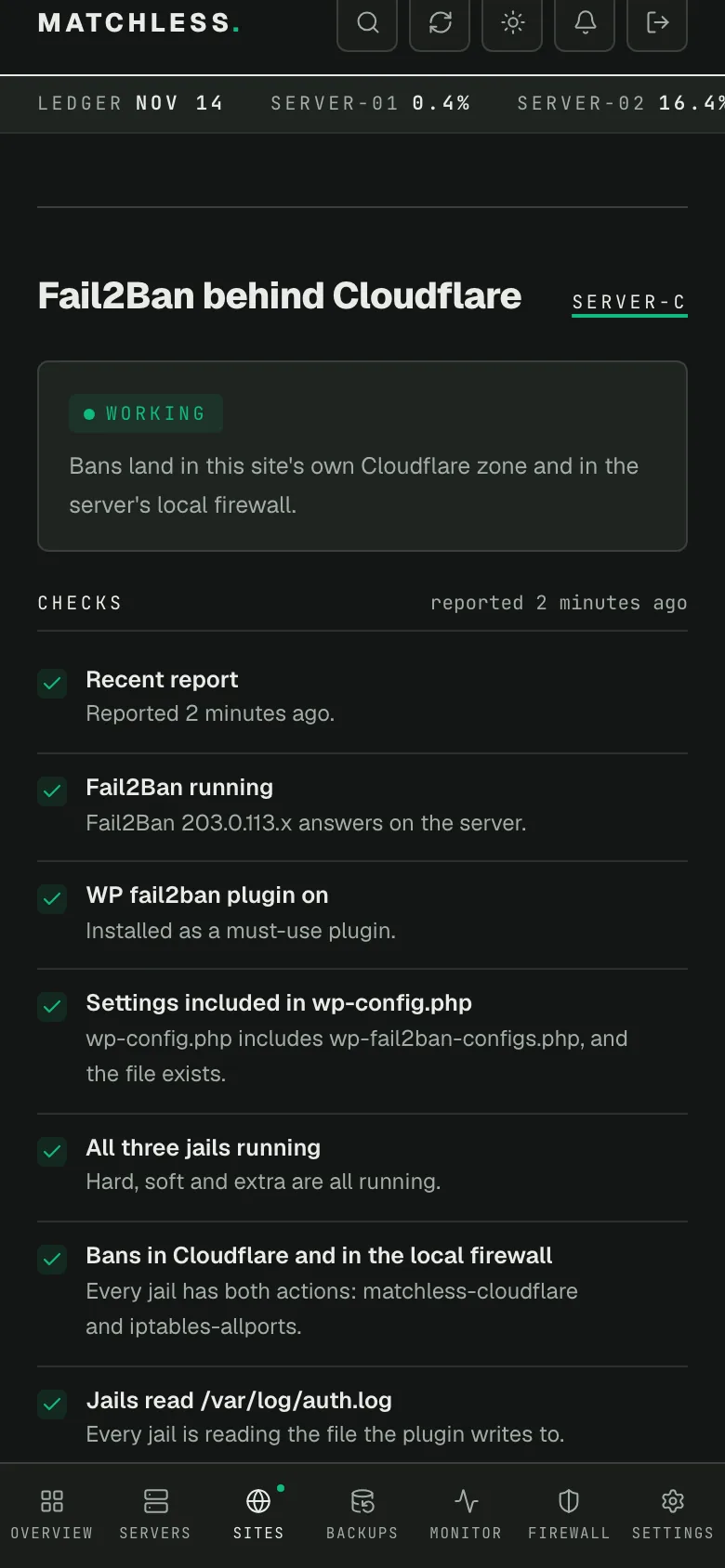
Drag a handle to compare light and dark mode. Every server name, site and address in these screenshots has been replaced.
Along the way, these turned up:
- GridPane's old action was already banning account-wide. A test ban on one site created two Cloudflare rules: mine, in the site's zone, and a second one across the whole account. On two servers, GridPane's own jails still used
gpcloudflare.confwith the account email and global key, in a file any user on the server could read. A third had the file, never filled in. I took that action off GridPane's jails (they kept their local firewall ban), moved the file to a backup, and then rolled the global key. The key also lived in GridPane's SSL setup, so rolling it meant updating GridPane's Cloudflare integration and syncing it to every server. The old action had also left 54 rules across the whole account, the oldest from 2022. They were bans meant to last 10 minutes to an hour, and their unban never removed them, so they became permanent blocks on every zone. I don't know why the unban failed. I saved a copy of each, then deleted them all. - Cloudflare's "verify token" check proved very little. In my tests it said a token was active even when asked from an address the token wasn't allowed to use. The real proof is to create a rule and delete it, from the server.
- A token missing one zone fails quietly. One server's token didn't include a zone it needed, and Cloudflare answered error 9109. The live run checks every zone before writing a file, so that server waited until I added the zone.
- Not every server had GridPane's patterns. GridPane copies the plugin's filter files onto a server the first time any site there has the integration switched on. One server had never had it on, so I carry my own copy of the patterns, and the dry run compares it with GridPane's wherever GridPane's exists.
- Newer Ubuntu can ignore the log file. Where Fail2Ban defaults to reading the systemd journal, a jail's
logpathis ignored, and you can't tell from the config what it actually reads. Every jail setsbackend = polling, and the live run checks that each one is readingauth.log. - One plugin toggle wouldn't stick. On one site, a stale object cache file made WordPress crash when the plugin loaded. Moving the stale files aside fixed it.
- A short ban could end a long one at the edge. Writing this post turned it up. When two jails banned the same address in one zone, the 10-minute jail's unban deleted the only Cloudflare rule while the one-hour jail still held the address. The helper in step 4 fixed it. It's now on every server that carries traffic, and each one passed an overlap proof: two jails ban one address, the first unban leaves the rule, the last one removes it.
- The site's name in the log comes from the visitor. I'd assumed GridPane wrote it from the site's config. Reading the plugin's code showed it's the request's Host header, so a request for
EXAMPLE.COMorexample.com:443would have slipped past my first filters, which matched the name exactly. No log on any server showed it happening, but every filter now accepts capitals, a port and a trailing dot. Every server proved it with a line logged asEXAMPLE.COM:443, which had to ban and then clear like any other. - A grey-cloud site gets no edge ban. A record that is DNS only skips Cloudflare, so the zone rule does nothing for it. The local firewall ban covers it, and the real fix is to proxy the record.
A few days later I started moving sites to new servers. Each token is locked to its server's address, so a token copied to a new server is rejected until the new address is added to it. I add the new server's address to the same token before the move and remove the old one after. My migration tool doesn't carry the jails either, so the same script rebuilds them on the new server, with the same proof. Four servers have been rebuilt that way so far, and after the moves the fleet stands at 54 sites on 10 servers.
How do I set this up on my own servers?
These steps are for one GridPane server, with the sites on it proxied through Cloudflare. Run each command on the server as root, except step 2 (the Cloudflare dashboard) and step 11 (your own computer). The file names are only examples.
Before you start
- Switch on GridPane's Fail2Ban integration for each site.
gp site example.com -enable-wp-fail2bandoes it, or the site's settings in GridPane. - Know how you'll get back in if you ban yourself. The local firewall ban blocks every port from the banned address, SSH included, so being banned locks you out of the site at Cloudflare and out of the server too. Your host's web console works from anywhere, and the allowlist in step 6 prevents it.
- Check that the server sees real visitor addresses. Run
grep -a 'wordpress(' /var/log/auth.log | tail -5and compare the addresses with Cloudflare's ranges (opens in a new tab). If they're Cloudflare's, stop: every ban would block Cloudflare itself. - Check whether GridPane's old action is still attached:
fail2ban-client get wordpress-hard actions(and the same forwordpress-softandwordpress-extra). If you seegpcloudflare, those jails already ban across your whole Cloudflare account, and the proof in step 9 will show two rules. Decide whether to remove it first.
1. Find the address Cloudflare sees the server as.
curl -4 -s https://www.cloudflare.com/cdn-cgi/trace | grep ^ip=You should see ip= and an IPv4 address. Use this one, not the IP in GridPane: a server's outbound address isn't always its main one. Keep the -4: the token gets locked to this address, and every later call is made over IPv4.
2. Make the token. In the Cloudflare dashboard, go to My Profile, API Tokens, Create Token, Create Custom Token:
- Permissions: Zone, Zone, Read; and Zone, Firewall Services, Edit.
- Zone resources: Include, Specific zone, each zone that has a site on this server. Add one row per zone. If some zones are in another Cloudflare account, make sure your user can reach that account too.
- Client IP address filtering: Is in, the address from step 1.
Save the token on the server in a file only root can read:
install -m 600 -o root -g root /dev/null /etc/fail2ban/cloudflare.token
nano /etc/fail2ban/cloudflare.token
Paste the token, nothing else, and save. Pasting it into a file keeps it out of your shell history. From here on, every command hands the token to curl as a header on curl's input, never as a command-line argument, because other users on the server can read a command line in the process list.
3. Prove the token from the server. For each zone, find its zone ID on the zone's overview page in Cloudflare. Then create a block rule on a documentation-only address and delete it. The first line is a shortcut that sends the token the safe way:
cf() { printf 'Authorization: Bearer %s\n' "$(cat /etc/fail2ban/cloudflare.token)" | curl -4 -s -H @- "$@"; }
ZONE=your-zone-id
cf -X POST "https://api.cloudflare.com/client/v4/zones/$ZONE/firewall/access_rules/rules" \
  -H "Content-Type: application/json" \
  --data '{"mode":"block","configuration":{"target":"ip","value":"203.0.113.45"},"notes":"token test"}'
You should see "success":true and an "id". Put that ID in place of RULE-ID here, and run it to delete the rule:
cf -X DELETE "https://api.cloudflare.com/client/v4/zones/$ZONE/firewall/access_rules/rules/RULE-ID"If it fails, read the error message, not just the code. Cloudflare's error 9109 covers both a zone the token doesn't include and a request from an address the token isn't locked to.
4. Write the action and its helper. The action is short, because a script does the work. Save it as the file named in its first line:
# /etc/fail2ban/action.d/cloudflare-zone.conf
[Definition]
actionstart =
actionstop =
actioncheck =
actionban = <cfhelper> ban <cfzone> <cftarget> <ip> <name>
actionunban = <cfhelper> unban <cfzone> <cftarget> <ip> <name>

[Init]
cfhelper = /etc/fail2ban/cloudflare-zone.sh
cftarget = ip
cfzone =

[Init?family=inet6]
cftarget = ip6
Why a script, and not two curl commands in the action? Because an address can be banned by more than one jail in the same zone: say the 10-minute hard jail and the one-hour soft jail. Cloudflare keeps one rule per address per zone, so the second ban adds nothing. If each jail deleted that rule on its own unban, the hard jail would delete it after 10 minutes, and the attacker would be free at the edge for the rest of the hour. My first version of this action did exactly that.
So the script keeps a list of the jails holding each address, and deletes the Cloudflare rule only when the last one lets go. It needs curl and python3, which Ubuntu ships. Save it as the file named in its first line:
#!/bin/bash
# /etc/fail2ban/cloudflare-zone.sh ban|unban <zone-id> <ip|ip6> <address> <jail>
#
# Cloudflare keeps one rule per address per zone, but several jails can ban the
# same address in one zone. This keeps a list of the jails holding each address
# and deletes the Cloudflare rule only when the last of them lets go.
set -u
act="${1:-}"; zone="${2:-}"; target="${3:-}"; ip="${4:-}"; jail="${5:-}"
TOKEN_FILE="${CF_TOKEN_FILE:-/etc/fail2ban/cloudflare.token}"
STATE="${CF_STATE:-/var/lib/fail2ban/cloudflare-zone}"
MAXAGE=90000      # 25 hours: longer than any ban, so an older holder is stale
case "$act" in (ban|unban) ;; (*) exit 2 ;; esac
case "$target" in (ip|ip6) ;; (*) exit 2 ;; esac
printf '%s' "$zone" | grep -E -q '^[0-9a-f]{32}$' || exit 2
printf '%s' "$ip" | grep -E -q '^[0-9A-Fa-f:.]{3,45}$' || exit 2
printf '%s' "$jail" | grep -E -q '^[A-Za-z0-9_-]{1,40}$' || exit 2
[ -s "$TOKEN_FILE" ] || exit 1
API="https://api.cloudflare.com/client/v4/zones/$zone/firewall/access_rules/rules"
d="$STATE/$zone"
mkdir -p "$d" && chmod 700 "$STATE" "$d" || exit 1
f="$d/$(printf '%s' "$ip" | tr ':' '_')"

# One change at a time per zone. A lock older than two minutes was left by a crash.
lock="$d/.lock"; n=0
until mkdir "$lock" 2>/dev/null; do
    if [ -n "$(find "$lock" -maxdepth 0 -mmin +2 2>/dev/null)" ]; then rmdir "$lock" 2>/dev/null; continue; fi
    n=$((n + 1)); [ "$n" -le 200 ] || exit 1; sleep 0.2
done
trap 'rmdir "$lock" 2>/dev/null' EXIT; trap 'exit 143' TERM INT HUP

now=$(date +%s)
others() {  # jails other than this one that still hold the address
    [ -f "$f" ] && awk -v j="$jail" -v min="$((now - MAXAGE))" '$1 != j && $2 + 0 >= min' "$f"
}
cf() {  # the token reaches curl on stdin, never on a command line
    printf 'Authorization: Bearer %s\n' "$(cat "$TOKEN_FILE")" \
        | curl -4 -s --max-time 15 -H @- -H "Content-Type: application/json" "$@"
}

if [ "$act" = ban ]; then
    o=$(others)
    { [ -n "$o" ] && printf '%s\n' "$o"; printf '%s %s\n' "$jail" "$now"; } > "$f.new" && mv "$f.new" "$f" || exit 1
    # 10009: the zone already has a rule for this address, so it's banned.
    cf -X POST "$API" --data "{\"mode\":\"block\",\"configuration\":{\"target\":\"$target\",\"value\":\"$ip\"},\"notes\":\"Fail2Ban $jail\"}" \
        | grep -E -q '"success": ?true|"code": ?10009'
    exit $?
fi

o=$(others)
if [ -n "$o" ]; then printf '%s\n' "$o" > "$f.new" && mv "$f.new" "$f"; exit 0; fi
rm -f "$f"
# The last holder let go. Delete only a zone block rule for exactly this
# address with a Fail2Ban note: a rule made by hand is never touched.
ids=$(cf -G "$API" --data-urlencode "mode=block" --data-urlencode "configuration.target=$target" \
        --data-urlencode "configuration.value=$ip" --data-urlencode "per_page=50" | python3 -c '
import ipaddress, json, sys
try: d = json.load(sys.stdin)
except Exception: print("FAILED"); sys.exit()
if not d.get("success"): print("FAILED"); sys.exit()
def same(a, b):
    try: return ipaddress.ip_address(a) == ipaddress.ip_address(b)
    except ValueError: return a == b
for x in d.get("result") or []:
    c = x.get("configuration") or {}
    if x.get("mode") == "block" and same(str(c.get("value")), sys.argv[1]) \
       and (x.get("notes") or "").startswith("Fail2Ban ") \
       and (x.get("scope") or {}).get("type") == "zone":
        print(x["id"])
' "$ip")
[ "$ids" = FAILED ] && exit 1
rc=0
for id in $ids; do
    printf '%s' "$id" | grep -E -q '^[0-9a-f]{32}$' || continue
    cf -X DELETE "$API/$id" | grep -E -q '"success": ?true' || rc=1
done
exit $rc
Then make it runnable by root alone:
chmod 700 /etc/fail2ban/cloudflare-zone.shWhat it does, in order:
- On a ban, it adds the jail to the address's list, then creates a block rule in the zone with a note naming the jail. Code 10009 is Cloudflare refusing a second rule for an address it already blocks, which counts as banned.
- On an unban, it takes the jail off the list. If another jail still holds the address, it stops there and the rule stays.
- When the last jail lets go, it looks the rule up and deletes it, but only a block rule in this zone, for exactly this address, with a note starting
Fail2Ban. It never deletes a rule made by hand. - A list entry older than 25 hours is ignored. No ban lasts that long, so an entry that old was left by a crash.
Two limits. The list is kept per server, so if two servers ban into the same zone, one can still end the other's ban early. And a ban already in force when you install this has no list entry, so it can end early once.
My servers run this same helper, with my file names swapped for generic ones.
5. Write a filter for each site. GridPane installs the plugin's patterns as wordpress-hard.conf, wordpress-soft.conf and wordpress-extra.conf. Check they're there:
ls /etc/fail2ban/filter.d/wordpress-*.confIf they're missing, GridPane hasn't switched the integration on for any site on this server yet. Do that for one site and they appear. Each site's filter reuses one of them and narrows it to that site's lines. For example.com, the hard filter is this file:
# /etc/fail2ban/filter.d/example-com-hard.conf
[INCLUDES]
before = wordpress-hard.conf

[Definition]
_daemon = (?:wordpress|wp)\((?i:(?:www\.)?example\.com)\.?(?::\d+)?\)
Make the -soft and -extra files the same way, with wordpress-soft.conf and wordpress-extra.conf. Escape every dot in the domain with a backslash.
The pattern is looser than the site's name on purpose. The plugin takes the name in each log line from the visitor's request, the Host header, so it can arrive in capitals, with a port, or with a trailing dot. The pattern accepts all three, and the closing bracket must come straight after, so a longer name still fails.
Now prove each filter matches its own site and nothing else. The first two commands should each report 1 matched line, the third 0:
fail2ban-regex 'Nov 18 10:00:00 host wordpress(www.example.com)[1]: Blocked user enumeration attempt from 203.0.113.7' example-com-hard
fail2ban-regex 'Nov 18 10:00:00 host wordpress(EXAMPLE.COM:443)[1]: Blocked user enumeration attempt from 203.0.113.7' example-com-hard
fail2ban-regex 'Nov 18 10:00:00 host wordpress(notexample.com)[1]: Blocked user enumeration attempt from 203.0.113.7' example-com-hard
Don't skip this. A typo in a filter can leave GridPane's full pattern in place, and then that site's jail bans attackers of every site on the server into that one site's zone.
6. Never ban yourself. First see what is already allowed:
fail2ban-client get wordpress-hard ignoreipThen save your own static addresses, plus everything that command listed, in this file:
# /etc/fail2ban/jail.d/allowlist.local
[DEFAULT]
ignoreip = 127.0.0.1/8 ::1 198.51.100.0/24
ignoreip replaces the list a jail would otherwise inherit rather than adding to it, which is why you carry the existing entries forward and keep loopback. Don't add a phone hotspot or other mobile address: those are shared with strangers and change constantly. In Cloudflare, add an Allow rule for the server's own address under IP Access Rules, so the server's own requests to its sites are never blocked or challenged.
7. Write the jails. One block of three per site, in this file:
# /etc/fail2ban/jail.d/cloudflare-sites.local
[example-com-hard]
enabled = true
filter = example-com-hard
backend = polling
logpath = /var/log/auth.log
maxretry = 1
findtime = 600
bantime = 600
action = cloudflare-zone[cfzone=your-zone-id]
         iptables-allports[name=example-com-hard]

[example-com-soft]
enabled = true
filter = example-com-soft
backend = polling
logpath = /var/log/auth.log
maxretry = 3
findtime = 600
bantime = 3600
action = cloudflare-zone[cfzone=your-zone-id]
         iptables-allports[name=example-com-soft]

[example-com-extra]
enabled = true
filter = example-com-extra
backend = polling
logpath = /var/log/auth.log
maxretry = 3
findtime = 600
bantime = 86400
action = cloudflare-zone[cfzone=your-zone-id]
         iptables-allports[name=example-com-extra]
The second action line has to be indented, or Fail2Ban won't read it as a second action. Keep jail names short. Fail2Ban names a firewall chain after each jail, and Linux caps those at 28 characters including Fail2Ban's f2b- prefix, so a jail name can be 24 characters at most. Past that, the local firewall ban fails while the Cloudflare one still works. For long domains, shorten the name (my servers use the first 12 letters of the domain, a 4-character hash, and -h, -s or -x).
8. Test, then reload. Only once the allowlist from step 6 is in place:
fail2ban-client -t && fail2ban-client reload
fail2ban-client status
fail2ban-client get example-com-hard logpath
fail2ban-client get example-com-hard actions
The test has to pass before the reload. The status should list your new jails. The logpath should show /var/log/auth.log; anything else, or an error, means the jail isn't reading the file, so check backend = polling. The actions should list both cloudflare-zone and iptables-allports. Then check tail -20 /var/log/fail2ban.log for errors.
9. Prove it. A clean reload is not proof. Write one fake line into the log, the way the plugin would:
logger -i -p auth.notice -t "wordpress(example.com)" "Blocked user enumeration attempt from 203.0.113.45"
sleep 10
fail2ban-client status example-com-hard
iptables -S | grep 203.0.113.45
You should see 203.0.113.45 banned in the jail and blocked in the firewall. In that zone's IP Access Rules in Cloudflare (under Security, in the WAF tools), there should be one Block for 203.0.113.45 with the note Fail2Ban example-com-hard. Only that zone should have it. Then:
Now prove the overlap. Ban the same address in the soft jail too, then end only the hard ban:
fail2ban-client set example-com-soft banip 203.0.113.45
fail2ban-client set example-com-hard unbanip 203.0.113.45
cat /var/lib/fail2ban/cloudflare-zone/your-zone-id/203.0.113.45
The Cloudflare rule should still be there, still just one, and the list should name only example-com-soft. Then end the rest:
fail2ban-client unban 203.0.113.45The jail ban, the firewall rule, the Cloudflare rule and the list file should all be gone. Repeat the proof on one site per zone.
10. When a site moves. The jails and the token file don't move with the site.
- To a new server: before the move, add the new server's outbound address (step 1) to the same token. Then repeat steps 2 to 9 there, the proof included. When the old server is gone, take its address off the token, and move its Allow rule in Cloudflare to the new one.
- To a server you already set up: add the site's zone to that server's token, add its filters and jails, run the proof, and remove the site's jails from the old server.
11. Check whether the server answers without Cloudflare. Run this on your own computer, not on the server:
curl -sI -k --resolve example.com:443:SERVER-IP https://example.com/If the server answers, anyone who finds its address can skip Cloudflare entirely. The local firewall action covers that path. The full fix is to allow web traffic only from Cloudflare's addresses (opens in a new tab), but check first: it cuts off any grey-cloud record and anything else that reaches the server without going through Cloudflare.
What should I tell an AI agent doing this?
If an agent runs this for you, the brief matters more than the commands. Copy this into your agent. It points the agent at the steps above and sets the rules it has to follow:
Set up Fail2Ban on this GridPane server so it bans attackers at Cloudflare's edge, in
each site's own Cloudflare zone, and not only in the server's firewall.

Follow the steps under "How do I set this up on my own servers?" at
https://jonphillips.dev/posts/fail2ban-cloudflare-gridpane
including the action and the cloudflare-zone.sh helper in step 4, with these rules:

1. Audit first, read-only: list Fail2Ban's jails and their actions, which sites have
   /var/www/<site>/wp-fail2ban-configs.php, which Cloudflare zone each site is in, and
   the server's IPv4 address from curl -4 https://www.cloudflare.com/cdn-cgi/trace.
   Confirm auth.log shows real visitor addresses, not Cloudflare's. Change nothing.
   Report and wait.
2. Never edit GridPane's own files (wordpress-*.conf filters, jail.local, gpcloudflare.conf).
   Add new files only, under names of your own, so removal is "delete, reload".
3. Never ask for, read out, print or log the Cloudflare token. I save it myself in a
   root-only file (600). Hand it to curl as a header on stdin (printf ... | curl -H @-),
   so it never appears in a command line.
4. Before writing any file, prove from this server that the token can read each zone and
   can create and delete a block rule on 203.0.113.45 in it. Stop if any zone fails.
5. Write my allowlist (ignoreip, carrying forward what is already there) before any
   reload. A ban blocks every port from that address, SSH included.
6. Build the config in a copy and test it with fail2ban-client -c <copy> -t before
   touching /etc/fail2ban. Back up anything you replace. If the live test or reload
   fails, put everything back.
7. Every jail sets backend = polling and logpath = /var/log/auth.log. Prove each site's
   filter with fail2ban-regex: it matches its own site and www name, also in capitals,
   with a port or a trailing dot (the name comes from the Host header), and never a
   lookalike name or another site.
8. Finish with a proof: one logged line for 203.0.113.45 must ban it in the jail, in
   iptables, and as exactly one rule in that site's zone. Ban it in a second jail too,
   unban the first: the zone rule must stay. Unban all: everything must be gone.
   A clean reload is not proof.
9. If GridPane's own jails still use gpcloudflare with an account email and global key,
   report it. Don't remove it without asking.
10. Steps 2 (making the token in Cloudflare) and 11 (a check from my own computer) are
    mine. Tell me exactly what to do, then wait for me.
What's still open?
Every proof so far used a log line I wrote myself. I haven't yet sat on a VPN and failed real logins against each server, which is the one test that exercises the whole path, browser included. Cloudflare challenges wp-login.php for scripted clients, so it has to be done in a real browser.
The retired servers' addresses come off their tokens once those servers are gone.
And I've asked GridPane to update its knowledge base. My request is to base its Fail2Ban article on Fail2Ban's own cloudflare-token.conf, with a scoped token that can only edit firewall rules, only in the site's zone, and only from the server's address, instead of an account email and the Global API Key. I also pointed out the early-unban gap as something worth checking in their setup.
Stack: Fail2Ban 0.11 and 1.1 on Ubuntu, GridPane's stack and the WP Fail2Ban plugin, Cloudflare's IP Access Rules API with one scoped token per server, and bash scripts run over SSH from my Mac by Claude Code. Status lives in Matchless Fleet.

Jon Phillips builds websites, web apps and automations at Matchless Web (opens in a new tab) in Clinton, Mississippi.