~/writing8g-firewall-watch-mode-gridpane
Trying the 8G firewall beside 7G on GridPane, in watch mode
8G Helper names the 8G rule behind a blocked request, and shows how to run 8G in watch mode beside 7G on GridPane, so false positives turn up first.
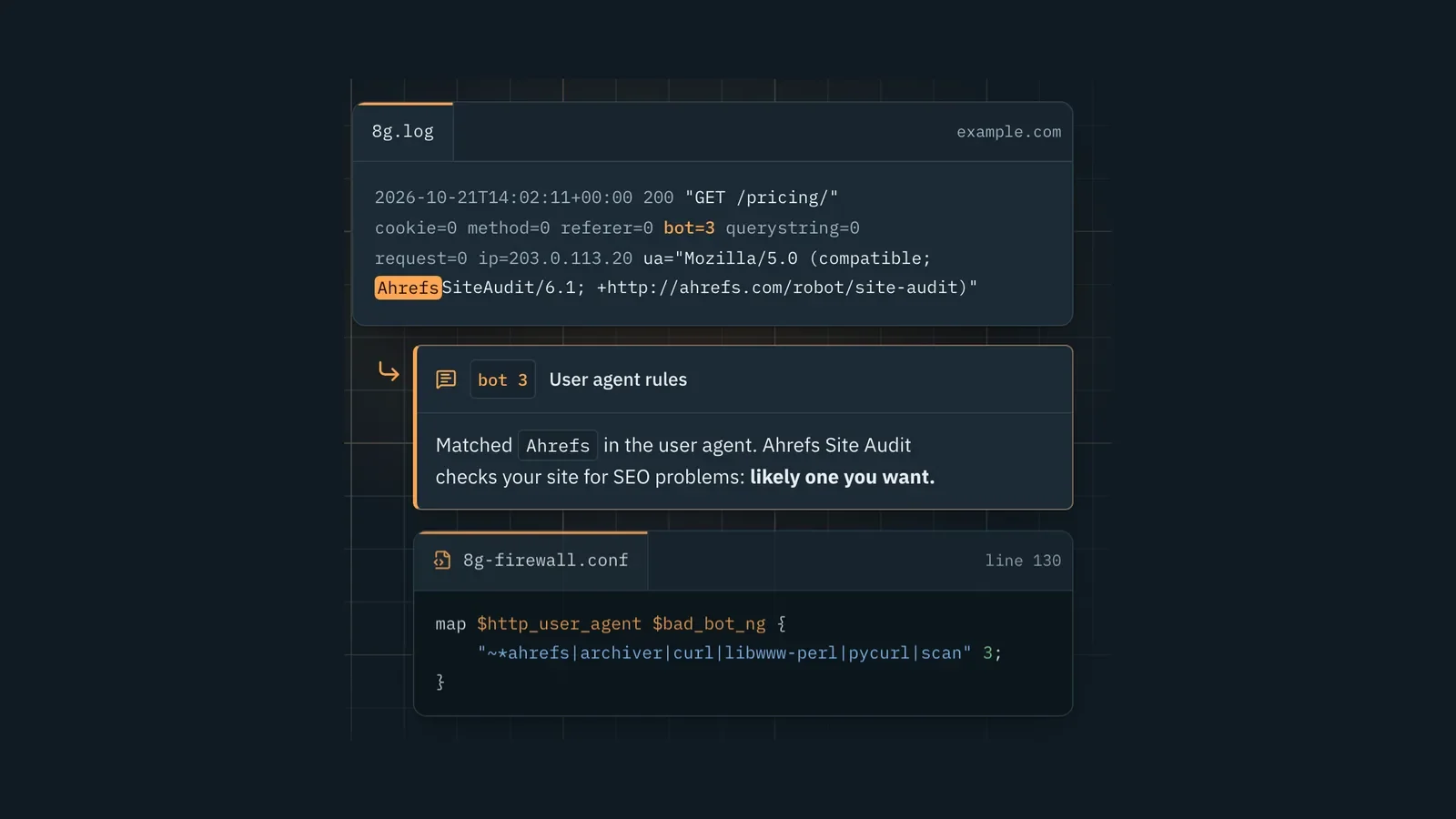
8G Helper is a free tool for anyone moving a site from the 7G firewall to 8G on nginx. Paste a line from the 8G log, and it shows the rule that fired, its exact pattern and the text in the request that set it off. The same page walks a GridPane site from 7G to 8G, with 8G watching every request before it blocks any. It runs in your browser, and nothing you paste leaves the page.
I built it the day after 7G Helper, which I wrote about earlier this week.
Why build an 8G tool a day after the 7G one?
Once 7G Helper was live, I reached out to Jeff Starr, who created the 7G and 8G firewalls. He was impressed by the build, and asked whether I knew there was a newer version in the series: 8G.
I did. I just hadn't used it, because it isn't one of the firewalls GridPane lets you turn on in its dashboard. Its 7G switch is GridPane's own build of 7G for nginx, and there is no switch for 8G. I told him I would explore it.
So I dug into 8G and installed it on seven sites across five servers to test it. Once it was running, it was clear that an 8G Helper wouldn't be a heavy lift for Claude, given what it had already built for 7G.
Why run 8G beside 7G at all?
Jeff's advice is to run 7G or 8G on a site, not both. Followed literally, that means a hard switch: turn 7G off, turn 8G on, and then find out what 8G blocks that you actually wanted, while it is blocking it.
Claude found a gentler way, and that impressed me. In watch mode, 8G checks every request and logs what it would block, but blocks nothing. 7G stays on and keeps protecting the site. Only one firewall is ever blocking, and because 7G sees each request first, the 8G log shows only what 8G would add on top of 7G.
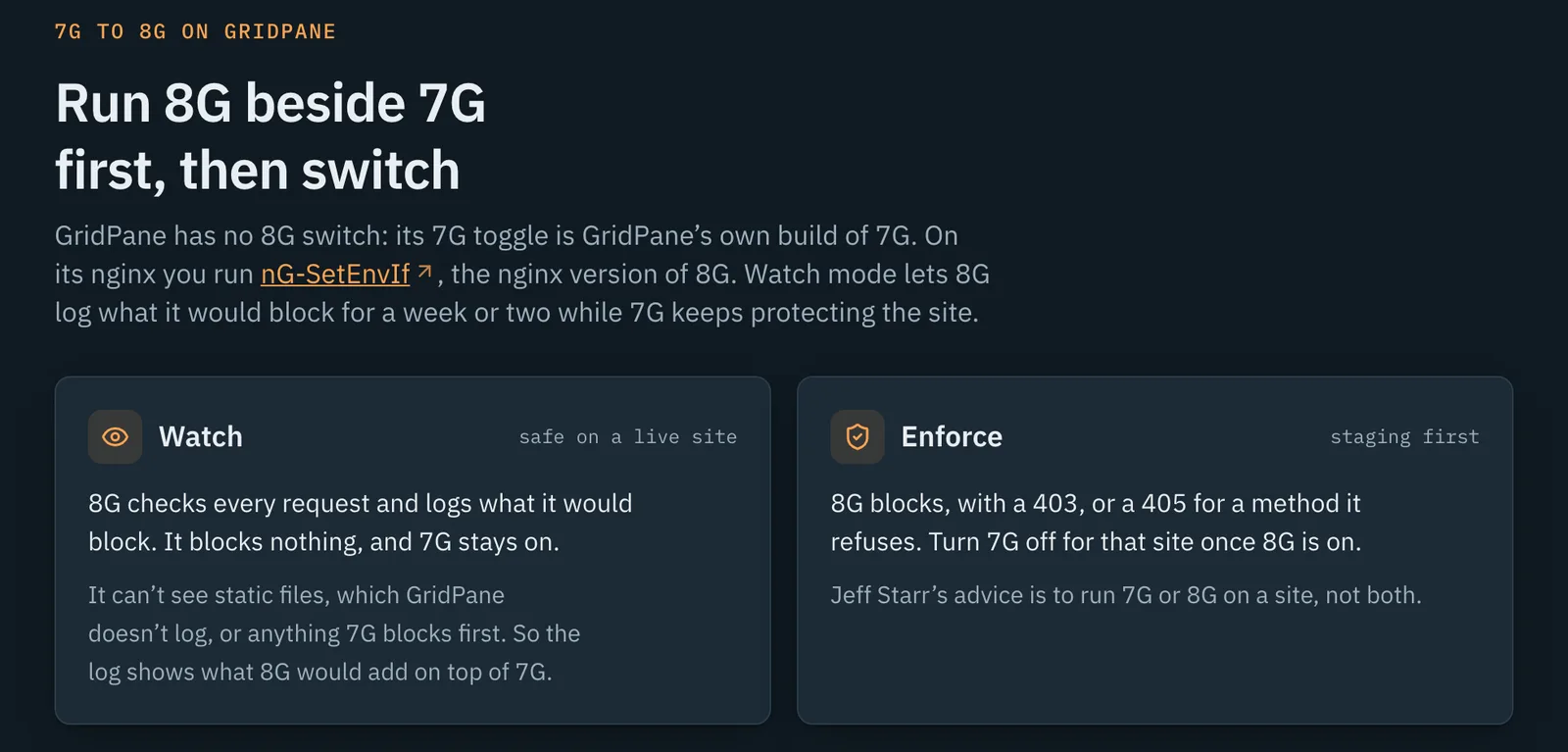
It is two small files in the site's own nginx folder, which GridPane's updates leave alone. One loads the rules and defines the log format. The other checks each request:
# 8G watch mode: checks every request against 8G and logs what it would block. Blocks nothing.
set $ng8_hit "";
if ($bad_cookie_ng) { set $ng8_hit 1; }
if ($not_allowed_method_ng) { set $ng8_hit 1; }
if ($bad_referer_ng) { set $ng8_hit 1; }
if ($bad_bot_ng) { set $ng8_hit 1; }
if ($bad_querystring_ng) { set $ng8_hit 1; }
if ($bad_request_ng) { set $ng8_hit 1; }
access_log /var/www/example.com/logs/8g.log ng8_example.com if=$ng8_hit;
To prove it works, send a request with curl's own user agent, which 7G allows and 8G would block. The site answers it normally, and a few seconds later it shows up in 8g.log as bot=3. That is what happened on all seven sites.
In my opinion this makes false positives much easier to see. You read them in a log for a week or two, and none of them blocks a real visitor while you do. Then you switch to enforcing on a staging site first.
What did the logs show?
Crawlers, more than attacks. On real sites, most of what 8G would add came from search and AI crawlers caught by its user-agent rules. Those rules are a choice about which crawlers you want, not attack signatures.
The rest was a short list of things you would want to let through before enforcing:
- Your own tools. User-agent rule 3 blocks
curl,scanandahrefs, which catches uptime monitors, cron jobs, a payment provider's security scanner, Ahrefs Site Audit and your own tests. - Site search. Query-string rule 39 blocks searches with words like
getorselectbetween other words. - AI agents that sign in. Query-string rule 9 blocks
localhostin a query string, which OAuth sign-ins for MCP connectors send. Don't enforce 8G on a site an agent connects to without allowing that first.
The real catch was probes for shells, backups and config files that 7G let through. Nearly all of them already answered 404.
What does 8G Helper do with a log line?
Paste a line from 8g.log, or from any nginx or Apache access log. It shows the rule group and number, the exact pattern and its line in 8g-firewall.conf, the text that matched, and any other rule in the same group that matches too. nginx stops at the first match, so this saves you from fixing one rule only to hit the next. It also gives a first opinion: leave it blocked, likely a false positive, a crawler decision, or your call.
For a request you want, it gives the documented fix from nG-SetEnvIf, the nginx version of 8G: edit the rule in every copy on the server, with backups, a check of each changed line, nginx -t, and a way to undo it. It is not a scoped exception like the ones 7G Helper writes. nginx keeps one set of 8G rules per server, so the copy loaded last applies to every site on it, and there is no update-safe exception file for 8G on GridPane yet.
How do I know it reads requests the way nginx does?
The matching runs in the browser, so it has to read a request exactly as nginx does: the query string as sent, the path decoded. Its answers are checked against real nginx with 118 test requests, alongside 54 unit tests and 9 end-to-end tests. The GridPane steps ran unchanged on a test server built from real nginx configuration before they ran on the seven live sites.
One bug is worth passing on. The page is prerendered, and inserting the generated markup with JavaScript's replace() quietly corrupted the page, because replace() reads $& in the replacement text as "the matched text", and escaped markup can produce exactly that. The fix is to pass a function instead of a string: str.replace(a, () => html).
What's next?
An Apache version comes next, tested against real Apache before it ships, since Jeff's official 8G is for Apache. Scoped exceptions wait until enforce mode has been tested on a staging site. On my own servers, 8G stays in watch mode while I read the logs.
Stack: React 19 and TypeScript on Vite, prerendered, on Cloudflare Pages, started from 7G Helper's code. nG-SetEnvIf's rules (8G version 1.5) are bundled unchanged and read in the browser. It is open source under the GPL, at github.com/matchlessweb/8g-helper.

Jon Phillips builds websites, web apps and automations at Matchless Web in Clinton, Mississippi.